


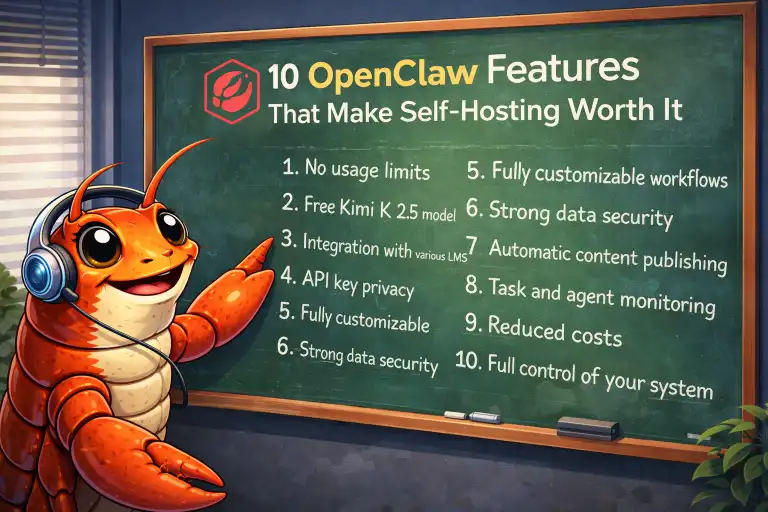
Why would anyone go through the trouble of self-hosting an AI assistant? Because OpenClaw offers capabilities that cloud services simply can’t match. Here are 10 features that make self-hosting worth it.
1. Chat From Any Messaging App
This is the killer feature. OpenClaw connects to:
- Telegram
- Discord
- Slack
- Signal
- iMessage
Your AI assistant lives where you already communicate. No separate app, no context switching. Text your AI from your phone while walking the dog, then continue the conversation from your desktop later.
Why it matters: Cloud AI lives in its own silo. OpenClaw integrates into your life.
2. Persistent Memory That Actually Works
OpenClaw remembers everything — not just within a conversation, but across days, weeks, and months. It stores context in files you can see and edit:
- Daily notes and conversation logs
- Long-term memory file
- Preferences and learned patterns
- Ongoing project context
Why it matters: “Remember that project I mentioned last week?” actually works.
3. Scheduled Tasks and Reminders
OpenClaw’s cron system runs tasks on schedule:
- Morning briefings delivered to your phone
- Reminder to take out the trash
- Daily content creation tasks
- Weekly report generation
Tasks actually execute — they don’t just remind you. Your AI can write that report and send it at 9 AM without you lifting a finger.
Why it matters: True automation, not just reminders.
4. Complete Privacy and Data Control
Your conversations stay on your hardware:
- Chat history never leaves your machine
- You choose what data reaches AI providers
- No corporate data mining
- Delete anything, anytime
Why it matters: Privacy isn’t a feature request — it’s the default.
5. Multiple AI Personalities (Agents)
Run multiple AI agents with different personalities and purposes:
- A professional work assistant
- A creative writing buddy
- A home automation controller
- A learning companion for studying
Each agent has its own memory, personality, and connected channels. Route different Telegram bots to different agents.
Why it matters: One system, unlimited personalities.
6. Web Browsing and Research
OpenClaw can search the web and fetch content:
- Real-time information lookup
- Research compilation
- Price comparisons
- News summaries
Ask “What’s happening with [topic] today?” and get current answers, not training cutoff limitations.
Why it matters: Your AI stays current with the real world.
7. File and Document Access
OpenClaw can read and write files in your workspace:
- Edit documents and notes
- Manage todo lists
- Update project files
- Generate reports and content
Your AI isn’t just a chatbot — it’s a productivity tool with real file system access.
Why it matters: Actions, not just answers.
8. Custom Skills and Integrations
Extend OpenClaw with skills for specific tasks:
- Weather forecasts
- Smart home control
- Calendar management
- Custom API integrations
The skill system is modular — add what you need, ignore what you don’t. Community skills are available, or build your own.
Why it matters: Unlimited extensibility.
9. Model Flexibility
Use any AI model — and switch anytime:
- Claude (Anthropic) for nuanced conversation
- GPT-4 (OpenAI) for broad knowledge
- Local models for offline operation
- Different models for different tasks
Not locked into one provider. When a better model launches, just update your config.
Why it matters: Future-proof your AI setup.
10. Cost Transparency and Control
Pay only for what you use:
- No monthly subscriptions
- Clear API cost tracking
- Choose cheaper models for simple tasks
- Use local models for free operation
Heavy users often pay less than a single $20/month subscription. Light users pay almost nothing.
Why it matters: Your bill reflects your actual usage.
Bonus Features
Browser Automation
OpenClaw can control a web browser — filling forms, extracting data, or automating web tasks.
Image Generation and Analysis
Generate images with DALL-E or analyze images you send.
Voice Integration
Text-to-speech and speech-to-text capabilities for voice interactions.
Webhook Support
Trigger actions from external services — connect to IFTTT, Zapier, or custom automations.
Is Self-Hosting Worth the Effort?
Setup takes 15-30 minutes. After that, OpenClaw runs quietly in the background, available whenever you need it.
The question isn’t whether self-hosting is complicated — it’s whether you value:
- Messaging integration over app switching
- Real memory over session limits
- Privacy over convenience
- Automation over reminders
- Control over subscriptions
If any of these resonate, getting started is easier than you think.
Frequently Asked Questions
Which feature is most valuable?
For most users, messaging integration is the game-changer. Having AI in Telegram or WhatsApp transforms how often and easily you interact with it.
Do I need all these features?
No — use what’s useful to you. Many users start with just messaging and memory, then explore other features over time.
Can I get these features elsewhere?
Bits and pieces exist in various tools, but no cloud service offers this combination with privacy and control. That’s the point of self-hosting.
What’s the learning curve?
Daily use is just chatting — no learning curve. Advanced features (cron, skills, multiple agents) have gentle learning curves with good documentation.
Is there community support?
Yes! Active Discord community, documentation, and open-source contributions. You’re not alone.
Start Small, Grow Big
You don’t need to use all these features on day one. Start with basic chat through Telegram, enjoy the persistent memory, and explore other features as needs arise.
The beauty of self-hosting is that the capabilities are there when you want them — no upgrade tiers, no feature gates, no subscription upsells.
Just your AI, on your terms.
This article contains affiliate links. As an Amazon Associate, we earn from qualifying purchases at no additional cost to you.