


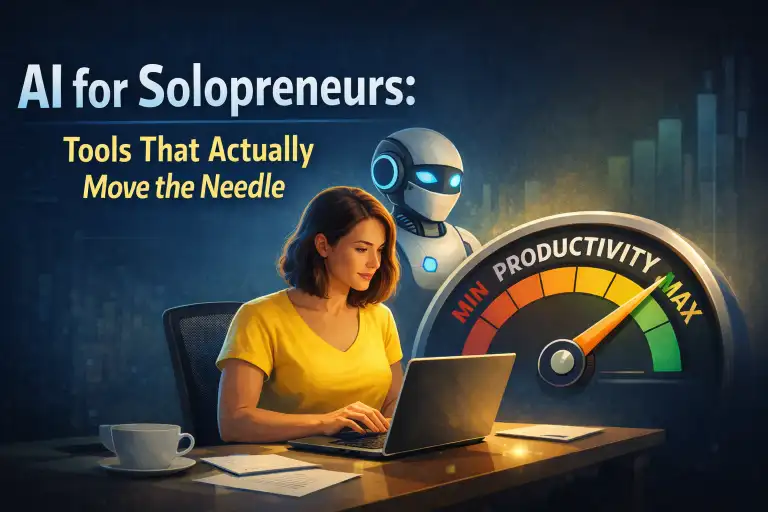
Running a solo business means wearing every hat—marketer, accountant, customer service rep, content creator, and CEO. The math doesn’t add up: there aren’t enough hours to do it all well.
That’s where AI tools come in. Not the gimmicky “10x your productivity!” stuff that adds more complexity than it removes. I’m talking about practical AI tools that actually move the needle when you’re building something on your own.
After testing dozens of AI tools while running my own projects, I’ve narrowed it down to the ones that genuinely earn their place in a solopreneur’s workflow. Here’s what works.
Why Most AI Tools Fail Solopreneurs
Before diving in, let’s address the elephant in the room: most AI tools are built for teams, not solo operators.
They assume you have:
- Time to learn complex interfaces
- A team to delegate AI-generated outputs to
- Budget for multiple specialized subscriptions
As a solopreneur, you need the opposite: tools that reduce your cognitive load, work independently, and consolidate rather than fragment your workflow.
The AI Stack That Actually Works
1. Claude or ChatGPT: Your Thinking Partner
Every solopreneur needs a capable general-purpose AI assistant. I use Claude (via Anthropic) as my primary thinking partner for:
- Drafting and editing content
- Brainstorming product features and marketing angles
- Analyzing customer feedback patterns
- Writing code snippets and debugging
- Research synthesis
The key insight: use it as a collaborator, not a replacement. The best outputs come from back-and-forth conversation, not single prompts. If you’re still deciding which AI to commit to, our comparison of ChatGPT, Claude, and Gemini breaks down the real differences.
Best for: Complex reasoning, long-form content, nuanced analysis
2. Notion AI: Your Second Brain, Supercharged
If you’re already using Notion (and as a solopreneur, you probably should be), Notion AI transforms it from a note-taking app into an intelligent workspace:
- Summarize meeting notes automatically
- Generate action items from rambling brain dumps
- Draft content directly in your project database
- Answer questions about your own documentation
The magic isn’t the AI features themselves—it’s that they’re embedded where you already work. No context switching. No copy-pasting between apps.
Best for: Knowledge management, project planning, content organization
3. Descript: Video and Podcast Editing Without the Learning Curve
If content creation is part of your strategy, Descript changes the game. Edit video and audio by editing text—delete a sentence from the transcript, and it’s gone from the media.
Key features for solopreneurs:
- Automatic transcription with speaker detection
- Remove filler words (“um”, “uh”) with one click
- Studio Sound: AI-enhanced audio that makes your closet recording sound professional
- Overdub: Clone your voice to fix small mistakes without re-recording
Best for: YouTube creators, podcasters, course creators
4. Jasper or Copy.ai: High-Volume Marketing Content
When you need to produce marketing content at scale—social posts, ad variations, email sequences—dedicated copywriting AI tools outperform general assistants.
Jasper excels at:
- Brand voice consistency across all content
- Template-based workflows for repeatable content types
- Integration with your existing marketing stack
Copy.ai offers similar capabilities with a more streamlined interface, better suited if you don’t need enterprise features.
Best for: Digital marketers, e-commerce operators, content-heavy businesses
5. Zapier Central or Make: AI-Powered Automation
The real leverage for solopreneurs isn’t AI chat—it’s AI automation. Connecting your tools so they work without you.
With Zapier Central (or Make’s AI features), you can:
- Auto-respond to form submissions with personalized messages
- Categorize and route customer support emails
- Generate social media posts from new blog content
- Create meeting summaries and follow-up tasks automatically
For more automation ideas, check out 7 AI automations that save me 10+ hours every week.
Best for: Anyone drowning in repetitive tasks
6. Gamma or Tome: Presentation Creation
If you pitch clients, create course materials, or need professional presentations, AI presentation tools eliminate the design bottleneck.
Gamma in particular:
- Generates entire presentations from a brief
- Auto-applies consistent, modern design
- Exports to PowerPoint or embeds directly
- Creates interactive, web-native presentations
You describe what you want, and get a polished deck in minutes. The time savings on a single pitch deck can be 2-3 hours.
Best for: Consultants, course creators, anyone pitching
7. Otter.ai or Fireflies: Meeting Intelligence
Stop taking notes in meetings. Otter.ai or Fireflies join your calls, transcribe everything, and generate summaries with action items.
More importantly, they make your meetings searchable. “What did the client say about the timeline?” becomes a search query, not a 30-minute recording review.
Best for: Client-facing solopreneurs, coaches, consultants
The Hidden Power: Running AI Locally
Here’s something most solopreneur guides won’t tell you: you can run AI models on your own hardware, completely free, with full privacy.
Tools like Ollama make running local AI models surprisingly accessible, even for non-technical users. With a capable computer, you can:
- Run AI without subscription costs
- Keep sensitive business data completely private
- Work offline (airplanes, remote locations)
- Customize models for your specific use case
This won’t replace cloud AI for everything, but for privacy-sensitive work or high-volume usage, it’s a game-changer.
What About Cost? Free vs. Paid AI
Budget matters when you’re bootstrapping. The good news: free AI tools have gotten remarkably good.
Here’s my framework for when to pay:
- Pay for AI that directly generates revenue (content creation, client work)
- Pay for AI that saves you 5+ hours/week on a specific task
- Stay free for exploration, learning, and occasional use
- Stay free if you can solve it with a general-purpose AI + good prompting
Most solopreneurs need 2-3 paid AI tools maximum. Everything else should either be free tier or handled by your primary AI assistant.
Building Your AI Workflow: Practical Steps
Week 1: Foundation
- Choose one primary AI assistant (Claude or ChatGPT)
- Spend time learning to prompt effectively—this skill multiplies everything
- Document your most time-consuming weekly tasks
Week 2: Quick Wins
- Automate one repetitive task with Zapier/Make
- If you create content, try AI-assisted editing (Descript, Notion AI)
- Set up meeting transcription if you have regular calls
Week 3: Optimization
- Create templates and saved prompts for recurring work
- Evaluate which specialized tools (if any) would help
- Build “AI workflows”—sequences of prompts that produce specific outputs
Hardware That Helps
While most AI tools are cloud-based, having the right hardware improves your experience:
- Second monitor: Essential for AI collaboration—keep the AI chat visible while you work
- Quality microphone: If you use voice input or create audio content, this is non-negotiable. The Blue Yeti remains a solid choice.
- iPad or tablet: Great for reviewing AI outputs away from your main workspace. The iPad Air hits the sweet spot for most.
For local AI or running your own AI assistant (like AI-powered home automation), you’ll want a more capable machine—but that’s a deeper rabbit hole covered in our dedicated guides.
What Doesn’t Work (Yet)
In fairness, here’s where AI still falls short for solopreneurs:
- Full customer service automation: AI can assist, but customers still want human responses for complex issues
- Strategy and judgment: AI can analyze and suggest, but business decisions still need your context and intuition
- Relationship building: Networking, sales conversations, partnerships—these remain fundamentally human
- Creative breakthroughs: AI helps execute and iterate, but the spark still comes from you
Don’t try to automate everything. The goal is freeing up time for the work only you can do.
FAQ
What’s the best single AI tool for a solopreneur on a budget?
Claude or ChatGPT Pro. A capable general-purpose AI assistant handles 80% of use cases—content creation, research, coding help, analysis. Master one of these before adding specialized tools.
How much should solopreneurs budget for AI tools?
Plan for 2-3 paid subscriptions that directly support revenue-generating activities. Most solopreneurs can run an effective AI stack for under $100/month. Start free, upgrade only when you hit clear limitations.
Is AI replacing solopreneurs?
The opposite—AI is making solopreneurship more viable than ever. Tasks that previously required hiring (basic design, copywriting, video editing, data analysis) can now be handled solo. The competitive advantage shifts to judgment, creativity, and relationship-building.
Should I use one AI for everything or specialized tools?
Start with one general-purpose AI and use it heavily. Add specialized tools only when you’ve identified specific bottlenecks that a dedicated solution handles significantly better. Avoid tool sprawl—it creates more complexity than it solves.
What about AI agents that work autonomously?
This is the next frontier. Tools like OpenClaw allow you to set up AI assistants that proactively handle tasks without manual prompting. It’s early, but solopreneurs who figure out effective AI agents gain significant leverage. See our coverage of why AI agents are the future.
The Bottom Line
AI won’t build your business for you. But it can remove enough friction that you actually get to the important work—the creative decisions, customer relationships, and strategic bets that determine success.
Start with one solid AI assistant. Learn to work with it effectively. Add automation where it saves real time. Stay skeptical of tools that promise more than they deliver.
The solopreneurs who win aren’t those with the most AI tools—they’re the ones who use fewer tools more effectively.
Disclosure: This post contains affiliate links. If you purchase through these links, we may earn a commission at no extra cost to you. We only recommend products we’ve actually used and believe in.