


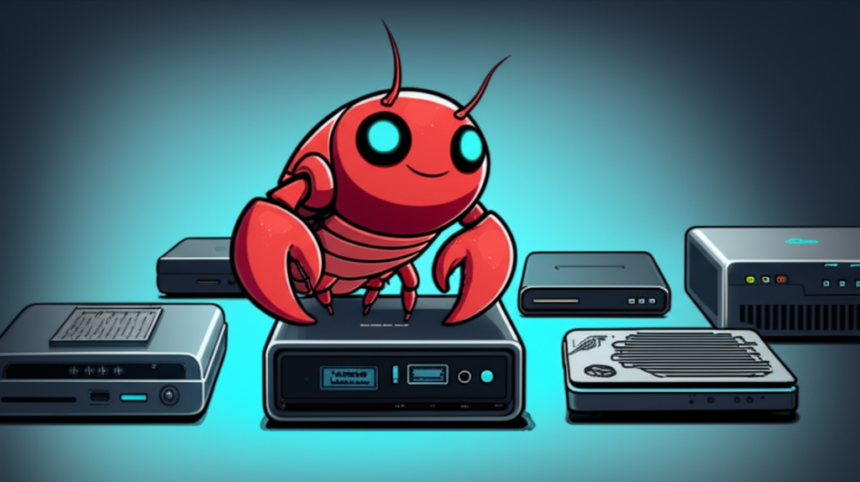
Self-hosting AI assistants like OpenClaw requires hardware that’s always on, quiet, and efficient. Mini PCs hit the sweet spot — powerful enough to run 24/7, small enough to hide behind your router, and affordable enough to justify dedicated AI hardware.
Why Mini PCs for AI Self-Hosting?
Mini PCs offer unique advantages for running personal AI assistants:
- Low power consumption: 15-35W typical vs 200W+ for a desktop
- Silent operation: Many models are fanless or near-silent
- Compact footprint: Fits on a shelf, behind a monitor, or mounted to a wall
- Always-on ready: Designed for continuous operation
- Cost-effective: Refurbished business units start around $100
What Specs Do You Need?
For API-based AI assistants (like OpenClaw with Claude or GPT-4):
| Component | Minimum | Recommended |
|---|---|---|
| CPU | Intel i3 / AMD Ryzen 3 | Intel i5 / AMD Ryzen 5 |
| RAM | 4GB | 8GB+ |
| Storage | 64GB SSD | 256GB+ SSD |
| OS | Linux / Windows / macOS | Linux (lowest overhead) |
Note: If you plan to run local AI models (like Llama), you’ll need significantly more RAM (32GB+) and possibly a GPU. For API-based setups, modest hardware works great.
Top Mini PC Picks for AI Self-Hosting
Best Overall: Lenovo ThinkCentre M910q
The Lenovo ThinkCentre M910q is a business-class mini PC that’s perfect for always-on AI hosting.
- Why it’s great: Reliable, well-built, widely available refurbished
- Typical specs: Intel i5-6500T/7500T, 8-16GB RAM, 256GB SSD
- Power draw: ~20W idle
- Best for: Reliable 24/7 operation on a budget
Best Budget: Beelink Mini S
The Beelink Mini S series offers excellent value for basic AI hosting needs.
- Why it’s great: Affordable new units, compact design
- Typical specs: Intel N95/N100, 8GB RAM, 256GB SSD
- Power draw: ~10-15W idle
- Best for: Budget-conscious setups, low power priority
Best Performance: Intel NUC 12/13
The Intel NUC line delivers strong performance in a tiny package.
- Why it’s great: Powerful processors, excellent build quality
- Typical specs: Intel i5/i7 12th-13th gen, up to 64GB RAM
- Power draw: ~25-35W idle
- Best for: Power users, local model experiments
Best for Local AI Models: Minisforum with AMD
The Minisforum UM series with AMD processors offers the best local AI potential.
- Why it’s great: AMD APUs with strong integrated graphics
- Typical specs: AMD Ryzen 7/9, up to 64GB RAM, Radeon iGPU
- Power draw: ~30-45W idle
- Best for: Running smaller local models alongside API-based AI
Mini PC Comparison Table
| Model | Price Range | Power | Best For |
|---|---|---|---|
| ThinkCentre M910q (refurb) | $100-200 | ~20W | Reliable 24/7 operation |
| Beelink Mini S | $150-250 | ~12W | Budget, low power |
| Intel NUC 12/13 | $400-700 | ~30W | Performance |
| Minisforum UM790 | $500-800 | ~35W | Local AI models |
Setup Tips for AI Hosting
Operating System
Linux (Ubuntu or Debian) is recommended for AI hosting:
- Lower resource overhead than Windows
- Better command-line tooling
- Easier headless operation
- Free and well-documented
Network Configuration
- Static IP: Assign a fixed local IP for reliable access
- SSH access: Enable remote management
- Firewall: Only open necessary ports
Power and Reliability
- UPS recommended: A small UPS prevents data loss from power blips
- Auto-start: Configure BIOS to boot on power restore
- Monitoring: Set up alerts for downtime
Refurbished vs New
For budget builds, refurbished business mini PCs offer exceptional value:
Advantages of Refurbished
- 50-70% cheaper than new equivalents
- Business-class reliability (built for 24/7)
- Often include warranty (90 days typical)
- Environmentally friendly (reduces e-waste)
What to Check
- Battery condition (if applicable)
- RAM and storage (often upgradeable)
- Seller reputation and return policy
- Physical condition of ports and fans
Frequently Asked Questions
Can I use a Raspberry Pi instead?
A Raspberry Pi 4/5 works for API-based AI like OpenClaw, but performance is limited. For casual use it’s fine; for serious daily use, an x86 mini PC is more capable. Pi’s main advantage is ultra-low power (~5W).
Do I need a GPU for OpenClaw?
No. OpenClaw uses cloud AI APIs (Claude, GPT-4), so all heavy computation happens remotely. You only need a GPU if running local AI models.
How much does it cost to run 24/7?
A 20W mini PC running 24/7 uses about 14.4 kWh per month. At $0.15/kWh, that’s roughly $2.16/month in electricity — less than a single coffee.
Can I run other services alongside AI?
Yes! Most mini PCs have plenty of headroom for additional services like Home Assistant, Pi-hole, file servers, or media streaming alongside OpenClaw.
What about Mac Mini?
Mac Mini (especially M1/M2) is excellent but pricier. It runs OpenClaw beautifully and the Apple Silicon chips are very power-efficient. Great choice if you prefer macOS or already own one.
Our Recommendation
For most users self-hosting OpenClaw or similar AI assistants:
Start with a refurbished ThinkCentre M910q or similar business mini PC. They’re reliable, quiet, cheap ($100-150), and more than capable for API-based AI. Upgrade to something beefier only if you want to experiment with local models.
The best AI hardware is hardware that runs reliably without you thinking about it.
This article contains affiliate links. As an Amazon Associate, we earn from qualifying purchases at no additional cost to you.