

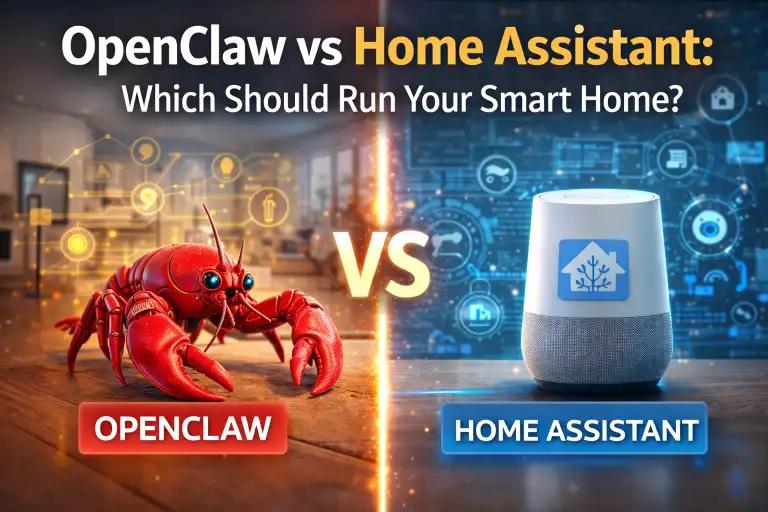
You want AI running your smart home, but which platform should be the brain? OpenClaw and Home Assistant are both self-hosted, privacy-focused options—but they solve different problems. This guide breaks down which one you should choose (spoiler: you might want both).
The Quick Answer
- Choose Home Assistant if you want device control, automations, and dashboards
- Choose OpenClaw if you want a conversational AI assistant with memory
- Choose both if you want the ultimate smart home setup (they complement each other)
What Each Platform Does
Home Assistant: The Smart Home Hub
Home Assistant is a device control and automation platform. It connects to thousands of smart devices and lets you create automations, dashboards, and control everything from one interface.
Core strengths:
- Integrates with 2,000+ smart home devices
- Visual automation builder (no coding required)
- Beautiful dashboards for controlling your home
- Local processing (no cloud dependency)
- Active community with tons of add-ons
OpenClaw: The AI Brain
OpenClaw is a personal AI assistant that connects to your messaging apps. It remembers conversations, runs scheduled tasks, and can interact with external services through tools and skills.
Core strengths:
- Conversational AI via Telegram, WhatsApp, etc.
- Persistent memory across conversations
- Scheduled tasks and reminders
- Extensible with custom skills
- Uses powerful AI models (Claude, GPT-4)
Head-to-Head Comparison
| Feature | Home Assistant | OpenClaw |
|---|---|---|
| Primary Purpose | Device control & automation | AI conversation & tasks |
| Interface | Web dashboard, app | Messaging apps (Telegram, etc.) |
| Voice Control | Basic (requires add-ons) | Natural language understanding |
| Memory | Logs and history | Conversational context |
| Automation | Powerful visual builder | Cron jobs, agent tasks |
| Device Support | 2,000+ integrations | Limited (via skills) |
| AI Intelligence | Basic logic | Full LLM reasoning |
| Setup Difficulty | Medium | Easy-Medium |
| Resource Usage | Light-Medium | Light |
| Cost | Free (hardware only) | Free + API costs |
Use Case Scenarios
Scenario 1: “Turn off all the lights”
Home Assistant: Executes immediately via dashboard, voice assistant integration, or automation trigger. This is what it’s built for.
OpenClaw: Can do this IF you set up a Home Assistant integration skill. But it’s adding a layer where one isn’t needed.
Winner: Home Assistant
Scenario 2: “Remind me to check on the laundry in 45 minutes”
Home Assistant: Possible with timers, but clunky. No natural conversation.
OpenClaw: Natural request, creates a cron job, reminds you via Telegram at the right time.
Winner: OpenClaw
Scenario 3: “When the garage door opens after 10pm, turn on the porch light and send me a notification”
Home Assistant: Easy automation with trigger, condition, and action blocks. This is exactly what it excels at.
OpenClaw: Can’t directly monitor device states or trigger automations.
Winner: Home Assistant
Scenario 4: “What did we decide about the kitchen renovation last week?”
Home Assistant: Doesn’t track conversations or decisions.
OpenClaw: Remembers your previous conversations and can recall context from days or weeks ago.
Winner: OpenClaw
The Best Setup: Use Both Together
The real power comes from combining them. Here’s how they complement each other:
Home Assistant handles:
- All device integrations and control
- Automated routines (motion sensors, schedules, triggers)
- Dashboards and quick controls
- Device state monitoring
OpenClaw handles:
- Natural language requests via messaging
- Complex questions requiring reasoning
- Reminders and scheduled tasks
- Anything needing memory or context
- Tasks outside the smart home (research, writing, etc.)
Integration Options
Option A: OpenClaw calls Home Assistant API
OpenClaw can trigger Home Assistant actions via its REST API. Tell OpenClaw “turn on movie mode” and it calls Home Assistant to execute the scene.
Option B: Home Assistant notifies OpenClaw
Home Assistant can send webhooks to trigger OpenClaw actions. Example: When motion is detected at night, Home Assistant asks OpenClaw to send you a smart alert.
Option C: Separate but parallel
Run both independently. Use Home Assistant for device stuff, OpenClaw for AI stuff. No integration needed—just use the right tool for each job.
Hardware Requirements
Both run great on modest hardware. A single mini PC can run both:
| Component | Home Assistant | OpenClaw | Both Together |
|---|---|---|---|
| RAM | 2GB+ | 2GB+ | 4-8GB |
| Storage | 32GB+ | 10GB+ | 64GB+ |
| CPU | Any modern | Any modern | Intel i3/i5 ideal |
A Raspberry Pi 4 can run either alone. For both, a mini PC like the Lenovo ThinkCentre is ideal.
Which Should You Start With?
Start with Home Assistant if:
- You have smart home devices you want to unify
- You want automated routines (lights, thermostats, sensors)
- You prefer visual dashboards over text chat
- You don’t need AI conversation capabilities
Start with OpenClaw if:
- You want an AI assistant in your messaging apps
- You need reminders, scheduling, and memory
- You want help with tasks beyond smart home
- You don’t have many smart home devices yet
Start with both if:
- You’re comfortable with some setup complexity
- You want the best of both worlds
- You have the hardware (or plan to get a mini PC)
Frequently Asked Questions
Can OpenClaw replace Home Assistant?
No. OpenClaw doesn’t have native device integrations. It’s an AI assistant, not a smart home hub. They solve different problems.
Can Home Assistant replace OpenClaw?
Not really. Home Assistant has basic voice assistants, but nothing approaching OpenClaw’s conversational AI with memory and reasoning.
Which is easier to set up?
OpenClaw is slightly easier (15-30 minutes). Home Assistant takes longer due to device configuration, but both are manageable for beginners.
Can I run both on a Raspberry Pi?
You can, but performance may suffer. A Pi 4 with 4GB RAM can handle light usage of both. For serious use, get a mini PC.
Do I need technical skills?
Basic comfort with command line helps for both. Home Assistant has a more visual interface once set up. OpenClaw is mostly configuration files.
Bottom Line
Home Assistant and OpenClaw aren’t competitors—they’re teammates. Home Assistant excels at device control and automation. OpenClaw excels at conversation, memory, and AI reasoning.
For the ultimate self-hosted smart home, run both. Let Home Assistant handle the devices, and let OpenClaw be your AI brain that ties everything together with natural language and intelligence.
Ready to get started? Check out our OpenClaw beginner’s guide and the Home Assistant getting started page.
This article contains affiliate links. As an Amazon Associate, we earn from qualifying purchases at no additional cost to you.