

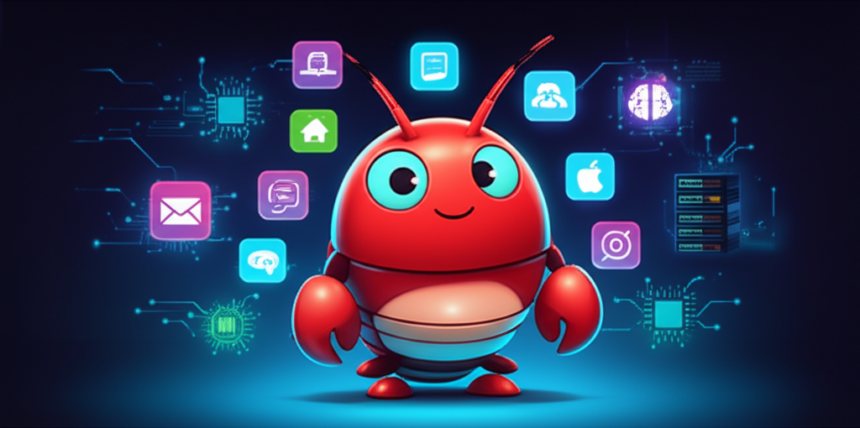
What if you could have an AI assistant that lives on your own hardware, connects to your messaging apps, and actually remembers your conversations? That’s exactly what OpenClaw delivers. In this guide, we’ll explore what OpenClaw is, why self-hosting your AI matters, and how to get started.
What Is OpenClaw?
OpenClaw is an open-source personal AI assistant that you can run on your own computer or server. Unlike cloud-based assistants like ChatGPT or Google Assistant, OpenClaw runs locally and connects directly to your favorite messaging platforms — Telegram, WhatsApp, Discord, Signal, and more.
Think of it as having your own AI butler that:
- Lives on hardware you control
- Connects to your messaging apps so you can chat from anywhere
- Remembers context across conversations
- Can browse the web, control smart home devices, and run automations
- Keeps your data private — nothing leaves your network unless you want it to
Why Self-Host Your AI Assistant?
Privacy and Data Control
When you use cloud AI services, your conversations pass through corporate servers. With OpenClaw, your data stays on your hardware. You decide what gets stored, what gets deleted, and what (if anything) reaches external APIs.
Always Available
Cloud services have outages. Self-hosted means your assistant is up whenever your computer is running. No rate limits, no “we’re experiencing high demand” messages.
Customization
OpenClaw is built for tinkerers. You can customize its personality, add skills, connect it to your own APIs, and make it truly yours. Want your AI to check your email, manage your calendar, and water your smart garden? You can build that.
Cost Control
While you’ll still pay for API calls to AI models (unless running local models), you avoid subscription fees and have complete transparency over usage and costs.
Key Features of OpenClaw
Multi-Platform Messaging
Connect OpenClaw to Telegram, WhatsApp, Discord, Slack, Signal, or iMessage. Chat with your AI from any device, anywhere. Your assistant meets you where you already are.
Persistent Memory
Unlike stateless chatbots, OpenClaw maintains context. It remembers what you discussed yesterday, your preferences, and ongoing projects. This makes interactions feel more natural and productive.
Skills and Automations
Extend functionality with skills — modular add-ons for specific tasks. Weather forecasts, web searches, smart home control, and more. The community continues to build new skills regularly.
Multiple AI Models
OpenClaw supports various AI backends including Claude (Anthropic), GPT-4 (OpenAI), and local models. Switch between them based on task requirements or cost considerations.
Web Dashboard
Monitor your assistant, view conversation history, manage settings, and check system status through a clean web interface accessible from any browser on your network.
What Hardware Do You Need?
OpenClaw is lightweight and runs on modest hardware. Here’s what works:
Minimum Requirements
- Any modern computer with 4GB+ RAM
- Operating System: Linux, macOS, or Windows
- Storage: 1GB for the application, more for conversation logs
- Internet connection for API access to AI models
Recommended Setup
For a dedicated always-on assistant, a mini PC is ideal. Devices like the Lenovo ThinkCentre M910q, Intel NUC, or Beelink mini PCs offer:
- Low power consumption (15-35W typical)
- Silent or near-silent operation
- Small footprint — tuck it behind your router
- Enough power for 24/7 operation
Already have a NAS, Raspberry Pi 4/5, or home server? OpenClaw runs great on those too.
How OpenClaw Compares to Cloud Assistants
| Feature | OpenClaw (Self-Hosted) | Cloud Assistants |
|---|---|---|
| Data Privacy | Your hardware, your data | Processed on corporate servers |
| Customization | Fully customizable | Limited to provided features |
| Messaging Integration | Direct connection to your apps | Usually requires separate apps |
| Availability | Your uptime, no rate limits | Subject to service outages |
| Setup Complexity | Moderate (CLI-based) | Plug and play |
| Cost | API costs only | Subscription fees + API costs |
Getting Started with OpenClaw
Setting up OpenClaw takes about 15-30 minutes if you’re comfortable with command-line basics. Here’s the high-level process:
- Install Node.js (version 18 or higher)
- Install OpenClaw via npm:
npm install -g openclaw - Run the setup wizard:
openclaw onboard - Connect your AI provider (Anthropic, OpenAI, etc.)
- Connect messaging platforms (Telegram, WhatsApp, etc.)
- Start chatting!
The onboarding wizard walks you through each step, including creating Telegram bots and connecting API keys.
For detailed instructions, check the official documentation at docs.openclaw.ai.
Real-World Use Cases
Smart Home Central Brain
Connect OpenClaw to your smart home gadgets and control everything through natural conversation. “Turn off the living room lights” or “Set the thermostat to 72” — from any messaging app.
Personal Research Assistant
Have your AI search the web, summarize articles, and compile research while you’re on the go. Ask questions via Telegram and get thorough answers with sources.
Content and Writing Help
Brainstorm ideas, draft emails, or get feedback on documents — all through your preferred messaging platform.
Household Task Management
Set reminders, manage shopping lists, and coordinate schedules. Your AI remembers context, so “add milk to the list” just works.
Learning Companion
Study with an AI tutor that adapts to your pace and remembers what you’ve covered. Great for language learning, exam prep, or exploring new topics.
Is OpenClaw Right for You?
OpenClaw is ideal if you:
- Value privacy and want control over your data
- Enjoy tinkering and customizing your tools
- Want AI access through your existing messaging apps
- Have basic comfort with command-line interfaces
- Want to avoid monthly subscription fees
You might prefer cloud alternatives if you:
- Want zero setup — just sign up and go
- Don’t have hardware to dedicate
- Prefer managed services over self-hosting
Frequently Asked Questions
Is OpenClaw free?
OpenClaw itself is free and open-source. However, you’ll pay for API calls to AI providers (like Anthropic or OpenAI) based on usage. Running local AI models can reduce or eliminate these costs.
Do I need programming skills?
Basic command-line comfort helps for initial setup, but you don’t need to be a programmer. The setup wizard handles most configuration, and daily use is just chatting through your messaging apps.
Can I run OpenClaw on a Raspberry Pi?
Yes! A Raspberry Pi 4 or 5 with 4GB+ RAM works well. It won’t run local AI models efficiently, but it handles the gateway and API-based models perfectly.
Is my data sent to the cloud?
Only when you use cloud AI providers (API calls include your prompts). Your conversation history, settings, and memory files stay on your hardware. You can use local AI models for fully offline operation.
Can multiple people use the same OpenClaw instance?
Yes, OpenClaw supports multiple agents and can route different users or groups to different AI configurations. Perfect for family use or small teams.
What messaging platforms are supported?
Telegram, WhatsApp, Discord, Slack, Signal, iMessage, and more. The platform list continues to grow with community contributions.
Final Thoughts
Self-hosting your AI assistant might sound technical, but OpenClaw makes it surprisingly accessible. Once set up, you get a private, customizable AI that meets you in your messaging apps — no app switching, no monthly fees, and complete control over your data.
As AI becomes central to how we manage our homes and daily tasks, having an assistant you truly own becomes increasingly valuable.
Ready to try it? Head to GitHub or docs.openclaw.ai to get started.
This article contains affiliate links. As an Amazon Associate, we earn from qualifying purchases at no additional cost to you. See our affiliate disclosure for details.